


Do you want to add interactive elements that engage your audience and provide valuable information? Imagine a website where visitors can hover over an image to reveal hidden details, click on a specific area to trigger a popup, or even zoom in on a particular section. This is the power of the image hotspot module.
We have extensively researched the best hotspot module and found that the TNC Divi Image Hotspot performs well in any situation. Whether you highlight product features, create interactive maps, or add fun, image hotspots makes it all possible. Now, let’s explore this module in depth.
Best Features of TNC Divi Image Hotspot Module
Clickable Hotspots: TNC Divi Image Hotspot allows you to create clickable hotspots of any image on your website in a specific area. Do you want to highlight a new feature in a product image? Place a hotspot there, allowing visitors to access a detailed description or video demonstration instantly.

Content Variety: Hotspots offer endless possibilities for customization. It allows you to display text, images, videos, products, or even custom code to create a tailored user experience.

Multiple Trigger Element Types: Whether you prefer a direct click action or a more subtle hover effect, you can customize the interaction to your website’s needs. Choose from various interaction types, including classic clicks, subtle hover effects, or mouse-enter focus, to create the ideal user experience.

Advanced Positioning Controls: TNC Divi Image Hotspot offers advanced control over hotspot placement. It allows you to define margins, padding, and offsets for a professional and polished look.

Pixel-Perfect Control: You can precisely place your hotspots where you need them, ensuring they align perfectly with your website’s image.

Highly Customizable: Enjoy full customization on your hotspots, from styles and colors to animations, ensuring they integrate perfectly with your brand and website’s overall look and feel.

Responsive Design: TNC Divi Image Hotspot’s responsive design ensures your images look great on any device. It provides a consistent and enjoyable user experience across all platforms.
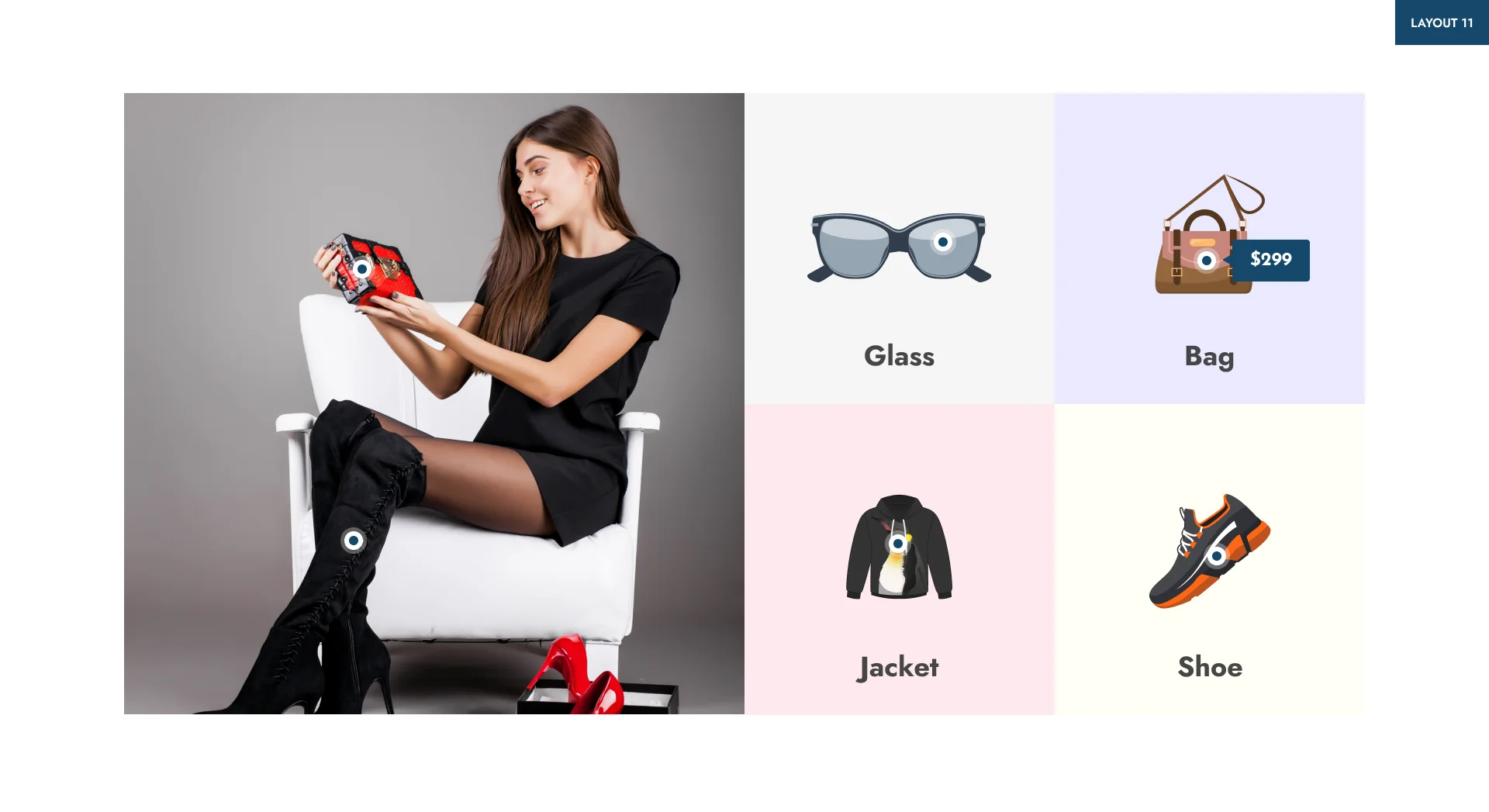
Apart from this, if you want to watch the live demo for better results, click here.
How to Get TNC Divi Image Hotspot Module?
TNC Divi Image Hotspot is now available on the elegantthemes marketplace. Let’s see the step-by-step instructions:

- Download TNC Divi Image Hotspot from elegantthemes marketplace or just Click Here.
- Once you have downloaded the plugin, log in to your website admin panel.
- Upload the downloaded zip file to your WordPress plugins directory.
- Click on the Install Now button.
- After installation, You can activate the plugin.
How To Use TNC Divi Image Hotspot Module?
Enjoy a smooth integration between TNC Divi Image Hotspot and your Divi Builder interface. It allows you to create interactive image hotspots properly. Here’s how to do it:
Access the Image Hotspot Module:
- Create a new page or edit an existing one using the Divi Builder.
- Add a new row and column where you want to insert the image hotspot.
- Search the module. This can be in a separate section with additional options.
Upload Your Image & Create Hotspots:
- Insert an image of your choice to add a hotspot using this image module.
- This module provides a visual interface for creating hotspots. You can click on the image to determine the hotspot area.
- You will get the information you need to adjust the hotspot shape, size, and position.
- You can add text, images, or links to hotspots. Customize the appearance of hotspot content, such as font, color, and size.
Watch this video for every aspect of this module.
Advantages of using TNC Divi Image Hotspot
TNC Divi Image Hotspot is a powerful Divi module that can significantly boost your website’s conversion rate. With so many image hotspot plugins available, why choose TNC Divi Image Hotspot? Let’s explore the compelling reasons.
Showcase Best Features: With targeted hotspots, you can easily highlight key product features or service offerings, making your value proposition more clear and compelling to visitors. You can guide users through your product or service through interactive hotspots, offering step-by-step instructions and tutorials that make the process easy to follow.

User Experience & Drive Conversions: TNC Divi Image Hotspot is designed with a focus on user experience. Your visitors will have a smooth and intuitive interaction, no matter how they access your website. Use hotspots to strategically place calls to action to drive more clicks to essential elements, such as product pages or contact forms.

Dedicated Customer Support: When you choose TNC Divi Image Hotspot, you can access exceptional support from the ThemeNcode support team. Our dedicated professionals can answer your questions and help you immediately.
Apart from this, we have many more Divi products. If you are interested, you can click here to see all.
Conclusion
Image Hotspot modules is a convenient way to showcase your website’s design and functionality. Adding interactive elements to your images can create a more informative and user-friendly experience for your visitors. TNC Divi Image Hotspot is an excellent hotspot module for any Divi user who wants to create informative websites. With the help of this module, any business owner or individual can beautifully showcase their products on their website.
Whether you want to highlight product features, create interactive maps, or tell engaging stories, image hotspots offer endless opportunities. With its intuitive interface and powerful features, you can quickly transform static images into interactive experiences.
Don’t forget to follow ThemeNcode for exciting updates and more upcoming products.