


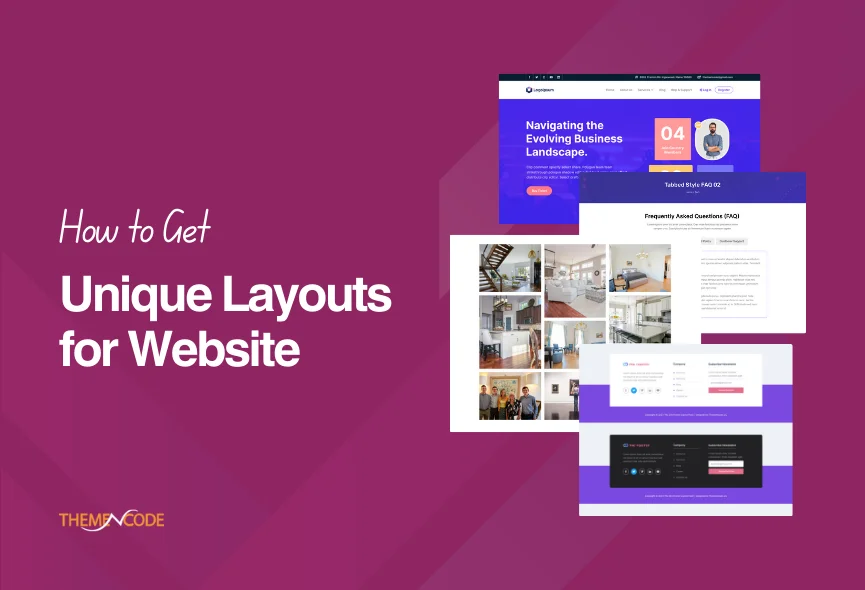
Divi is a powerful website builder that offers a wide range of customization options. Choosing effective layouts is one of the most important part of creating a successful website. A well-designed layout can make your website more attractive and easier to navigate. There are several factors to consider when choosing a layout for your Divi website. Including your website’s purpose, your target audience, and the overall goals you want to achieve.
You can save time and effort when building your website with the Divi theme. Divi offers many pre-designed layouts that can be used to create different types of pages on your website, but if you want to make your website more unique, you need to add some additional layouts. In this blog post, we will discuss some tips on how to get unique and effective layouts for your Divi website.
How to Get the Perfect Divi Layouts?
Looking for some reliable Divi layouts to highlight your Divi website? Do your research and get reviews from other users. We recommend the Bundle Divi Layouts by TNC, a Bundle of unique layouts for Divi websites. ThemeNcode was developed this Bundle Divi Layouts pack and featured on Elegant Themes Divi Marketplace.

Using Bundle Divi Layout by TNC is a straightforward process. Here is a step-by-step guide on how to use this layout pack:
Step 1. Purchase and Download: You can Purchase Bundle Divi Layouts by TNC from ElegantThemes or just Click Here to download them to your computer.
Step 2. Install the Bundle: Access your dashboard and navigate to “Appearance” > “Divi Library.” Click the “Import & Export” button and choose the “Import” tab. Upload the downloaded bundle file and click “Import Divi Builder Layouts.”
Step 3. Access the Layouts: Create a new page or edit an existing one. Click “Enable Divi Builder” to enter the Divi Builder interface.
Step 4. Customize the Layout: Edit content by clicking on elements and adjust design settings like colors, fonts, and spacing using Divi Builder’s intuitive tools.
Step 5. Save and Publish: Save the entire page and press “Publish” to make your updates live on your website.
You can read this blog for more information: Introducing Bundle Divi Layouts by TNC
The Core Functionality of Bundle Divi Layouts by TNC
This collection includes 280+ layouts, all designed to follow current design trends. Simply import them into Divi and customize them to create a unique and visually appealing website.
80 header layouts: You will find a collection of 80+ unique and stylish header layouts. Choose from 80 unique header layouts catering to various styles and industries.

44 footer layouts: A perfect footer section is more valuable, explore a flexible selection of 44 unique footer layouts with different design choices in each.

22 pricing tables with toggle buttons: Unlock a library of 22 unique pricing table styles, each meticulously designed to cater to the requirements of various industries and businesses.

100+ gallery layouts, including sliders: You will get 100 unique gallery layouts. Each layout is tailored to suit various industries and design preferences.

17 testimonial layouts: Testimonial Layout Pack offers a diverse range of 17 unique testimonial categories. It provides flexibility and different design choices.

19 FAQ layouts: You will get 19 unique FAQ layouts with different design choices.

Click here to view the live demo: Bundle Pack For Divi by TNC
Why Should You Use Bundle Divi Layouts by TNC?
This package is exceptional for many reasons. It allows users to create websites that are visually stunning and function flawlessly on all devices.
- Perfect Layouts: With a vast library of pre-designed layouts, users can effortlessly discover the ideal design for their website.”
- Responsive Design: These layouts are fully responsive, ensuring your website looks great and works perfectly on any device.
- Top-notch support: ThemeNcode offers excellent customer support. We are dedicated to helping users get the most out of our Divi layouts.
- Time and cost savings: Our Bundle Divi Layout by TNC allows you to create professional websites quickly and save time and resources.
- Easy Customization: Our bundle layouts are built with Divi builder and readily customized. You can change colors, fonts, and content without any coding knowledge.
- Regular Updates: ThemeNcode commits to keeping this bundle up-to-date, regularly adding new layouts and features, and ensuring that users’ websites stay fresh.
- Ease of Use: Whether you are an experienced developer or a beginner, this layout pack is incredibly user-friendly.
- Advanced Settings: This module offers advanced settings for those seeking more control. Customize elements like navigation arrows, pagination dots, and autoplay features to create a carousel that perfectly suits your website.
- User Friendly: With a simple drag-and-drop interface, you can quickly add and customize carousels to suit your needs.
Apart from this, we have many more Divi products. If you are interested, you can click here to see all.
Conclusion
Follow these tips and experimenting with different layouts. So, you can make an effective design that looks perfect and helps you achieve your goals. Bundle Divi Layouts by TNC is an excellent solution for creating beautiful websites. It provides a wide range of pre-designed layouts that you can easily customize.
The layout of your website is one of the first things visitors will see. Bundle Divi Layouts by TNC is a time and money-saver solution. Whether you are a beginner or an experienced web designer, this is an essential tool for optimizing websites.
Don’t forget to follow ThemeNcode for exciting updates and more upcoming products.