


Your website is your digital storefront, online reputation, and 24/7 salesperson. It’s the first impression countless potential customers have of your brand. Divi, a versatile website builder, offers many options to bring your vision to life. With over forty modules and 157 pre-built templates, you can create a website that reflects your brand. The best part? Divi is fully compatible with other theme plugins on WordPress, allowing you to customize your site as you see fit.
This article discusses vital functionalities to make your Divi-powered website more functional and user-friendly. These add-ons enhance the capabilities and functionality of a Divi-powered website, making it more attractive and easier to use. Whether you’re a beginner designer or a seasoned pro, this guide will equip you with the knowledge and inspiration to create the perfect Divi website. We will cover design techniques and technical expertise in making a website that looks stunning and delivers results.
Basic Instructions For Improving Your Website
You can take some basic steps to make your website more functional as you create it. Now let’s explore some key steps to improve your website:
Step 1: Creating an attractive homepage
Your homepage is the gateway to your digital world. It’s your chance to make a solid first impression. You need to be concerned:
- Essential elements of a high-converting homepage
- Creating a visually striking hero section
- Effective use of white space and typography
- Incorporating compelling calls to action
- Optimizing your homepage for search engines
Step 2: User Experience Matters
A visually appealing website is excellent, but a user-friendly website is even better. You need to be concerned:
- Understanding user behavior and psychology
- Optimizing website navigation for easy exploration
- User testing to identify areas for improvement
Step 3: Visual Storytelling
Images and visuals are worth a thousand words. We’ll uncover:
- The art of selecting high-quality images
- Creating visually consistent branding
- Incorporating videos and interactive elements
- Optimizing images for SEO and website performance
Step 4: Typography
Font choices can make or break your website’s design. We’ll explore:
- Selecting the right fonts for your brand
- Creating hierarchy and visual interest with typography
- Using typography to guide user attention
- Typography best practices for different screen sizes
Step 5: Color Psychology
Color reflects emotions and affects the perception of your website. You need to be concerned:
- Understanding color psychology and its impact
- Creating color palettes that align with your brand
- Using color to create contrast and visual interest
- Color trends and how to incorporate them effectively
Step 6: Advanced Customization
Divi offers a wealth of customization options. You need to be concerned:
- Advanced CSS customization for precise control
- Creating custom modules for unique elements
- Utilizing Divi’s built-in design tools effectively
- Troubleshooting common Divi issues
Advanced Modules to Make Your Website Attractive
There are many modules to improve your site; let’s take a look:
Social Share:
Encourage your website visitors to share your fantastic content with a single click across various popular social media platforms, including Facebook, WhatsApp, Twitter, and many more. By making sharing this simple, you can attract new visitors to your website.

Image Magnifier:
Use interactive image zoom to showcase product features and property details. By hovering over an image, visitors can effortlessly explore intricate details, from product specifications to property highlights.

Modal Popup:
This module displays overlay windows with additional content or forms. It lets you make the best use of various trigger types and flexibilities. You can display sign-up forms, product details, image galleries, and more.

Dual Buttons:
This module offers clear choices to guide visitors towards desired actions. You can show visitors two distinct CTAs, allowing them to choose the path that best aligns with their needs. You can create compelling call-to-action combinations like “Buy Now” and “Learn More” like this.

Step Flow:
This module can help you create engaging and easy-to-follow content. Clearly outline processes, tutorials, or checklists using numbered or bulleted lists.

Embed Map (Google Map):
Easily pinpoint your location, guide visitors with interactive maps, and improve discoverability for a global audience.
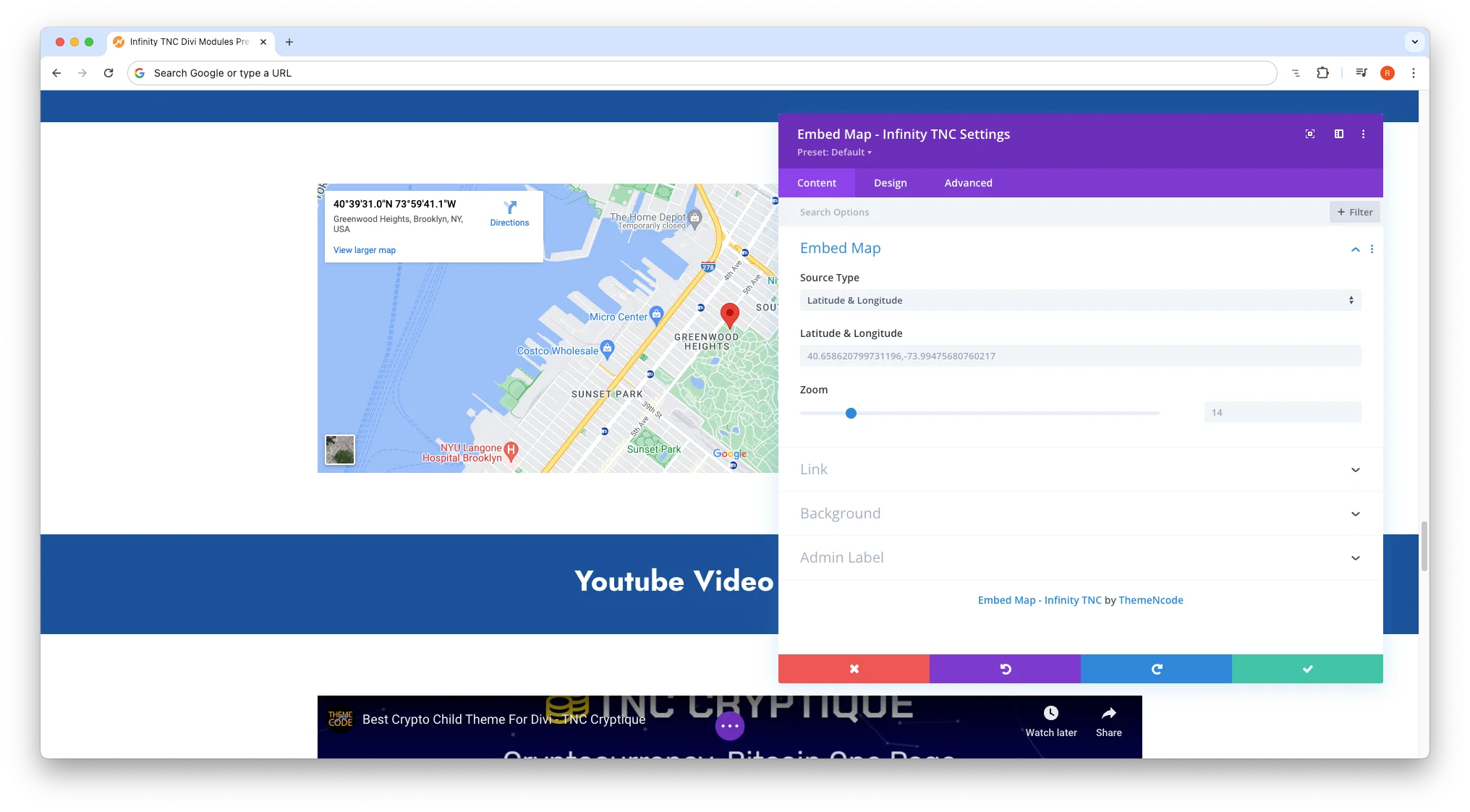
All these modules and many additional modules are combined with an add-on: Infinity TNC Divi Modules Pro. Just add this add-on to get all the functionality. A trial version is also available.
- Create Clickable Image Hotspots: Imagine invisible buttons placed directly on your image. Define clickable areas on your images to reveal hidden content. With a simple click, showcase product details, play videos, offer interactive tutorials, or unlock exclusive promotions. Want to highlight a new feature in a product image? Place a hotspot there, allowing visitors to access a detailed description or video demonstration instantly. Transform static images into dynamic experiences.

You must install the TNC Divi Image Hotspot add-on to get this module and other advanced hotspot designs.
- Add interactive carousels to your website: Grab attention and showcase your best work with a dynamic carousel. Imagine a slideshow of your finest content, products, or services automatically cycling through to engage visitors. Carousels are perfect for highlighting essential information in a visually appealing way. Whether you need an image slider, a logo, a testimonial showcase, or a team carousel, Carousels make it easy and fun. You can create a responsive experience that looks great on any device.
If you want to get unique carousel modules, install the TNC Divi Carousel Combo add-on to get this beautiful module.
Where To Find These Add-ons?
To find the perfect add-on, research and get reviews from other users. After our study, we found that all these add-ons work smoothly and make the Divi website more attractive. As these are premium add-ons, here are detailed instructions to find them:
- Enter the elegantthemes marketplace or Click Here.
- Navigate to Divi Marketplace.
- Search for the specific addon name in the search bar.
- Once you find the add-on you want, click “Buy Now”.
- After downloading the add-on, log in to your website admin panel.
- Select the plugin zip file you downloaded and install it.
- Go to Plugins in your WordPress admin panel and activate the plugin.
How To Use These Modules?
After installing any addon of your choice, it integrates with your Divi Builder interface. Here’s how to use them:
- Open Your Divi Builder: Create a new page or edit an existing one.
- Locate the Modules: In the Divi Builder sidebar, you will find all the sections.
- Drag and Drop your modules: Simply drag and drop the desired module on any add-on to the desired location on your page or post.
- Customization: Each module has intuitive settings for its appearance and functionality. You can edit colors, text, layout, and more to match the style of your website perfectly.
Conclusion
By applying the design principles and practical tips outlined in this guide, you can transform your Divi website and achieve your online goals. You’ll prioritize user experience and leverage the full potential of Divi’s customization options to create a website that looks impressive, drives conversions, and increases user engagement.
Drag and drop required features, integrate dynamic elements, and engage the audience. With all these valuable add-ons and creativity, you can transform your Divi website into something more engaging that attracts visitors, builds trust, and drives conversions.
Don’t forget to follow ThemeNcode for exciting updates and more upcoming products.