

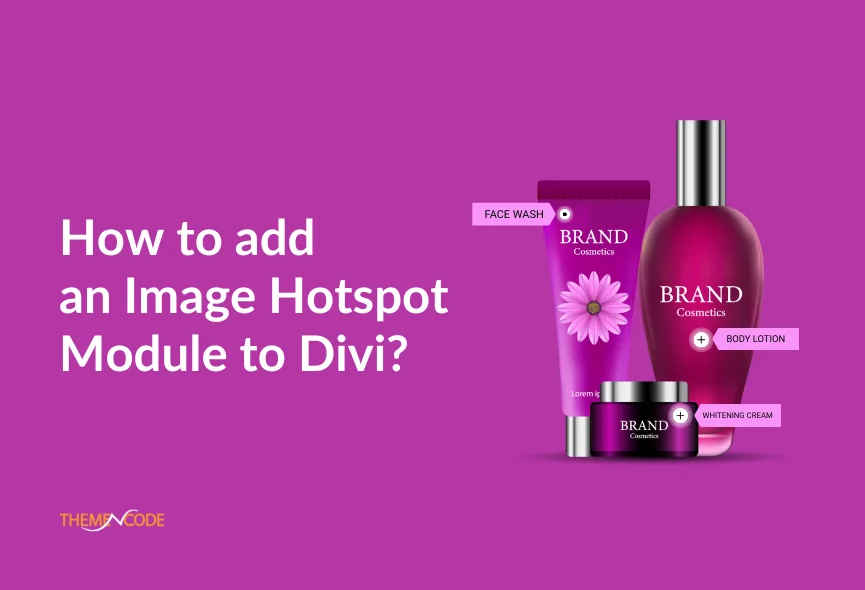
Do you want to make your Divi website more interactive? Image hotspots are a fantastic way to add clickable areas to your images. It provides additional information, links, or calls to action. This allows you to add interactive elements to your images and make them more interesting and informative. You can quickly create image hotspots on your Divi website using a Divi module.
An image hotspot can be useful for creating interactive product demos, maps or any image that requires further explanation. In this guide, we’ll explain the simple steps to adding an image hotspot module to your Divi website.
Table of Contents
What is an Image Hotspot Module?
An image hotspot module allows you to create interactive images. You can designate specific areas of an image as hotspots, each with its unique link or popup. Whether you’re highlighting product features, creating interactive maps, creating a truly immersive experience, or adding fun, Image Hotspots make it all possible.

How to Get the Best Image Hotspot Module?
Based on our research, we found the best hotspot module, the TNC Divi Image Hotspot, which performs well in any situation. TNC Divi Image Hotspot is now available on the elegantthemes marketplace. Let’s see step-by-step instructions:

- Download TNC Divi Image Hotspot from the elegantthemes marketplace or just Click Here.
- Once you have downloaded the plugin, log in to your website admin panel.
- Upload the downloaded zip file to your WordPress plugins directory.
- Click on the Install Now button.
- After installation, You can activate the plugin.
How to Add Image Hotspot on Divi?
TNC Divi Image Hotspot module allows you to easily create image hotspots for your Divi website. Let’s see how to do it:
Access the Image Hotspot Module:
- Create a new page or edit an existing one using the Divi Builder.
- Add a new row and column where you want to insert the image hotspot.
- Look for the image hotspot module in your Divi Builder’s module list. It might be in a separate category or listed as a regular image module with additional options.
Upload Your Image & Create Hotspots:
- Insert the image you want to add hotspots to using the image module.
- This module provides a visual interface for creating hotspots. You can usually click on the image to define the hotspot area.
Customize Hotspot Content:
- Add text, images, or links to the hotspots. This content will be displayed when users hover over or click the hotspot.
- Customize the appearance of the hotspot content, such as font, color, and size.
Adjust Hotspot Behavior:
- This module has intuitive settings for its appearance and functionality.
- Edit colors, layout, and more to match your website’s style perfectly.
Core Features of TNC Divi Image Hotspot Module
TNC Divi Image Hotspot Module has many more features to highlight your website. Whether you highlight product features, create interactive maps, or add fun, Image Hotspots makes it all possible. Let’s look at some key features.

- Clickable Hotspots
- Content Variety
- Trigger Element Types
- Multiple Trigger Options
- Advanced Positioning Controls
- Pixel-Perfect Control
- Highly Customizable
- Responsive Design
Why Add TNC Divi Image Hotspot?
- Showcase Core Functionality: You can easily highlight key product features or service offerings, making your value proposition more compelling to visitors.
- Guide Users: You can guide visitors through your product or service through interactive hotspots. It offers step-by-step instructions that make the process easy to follow.
- Boost Conversions: Your targeted calls to action in hotspots can significantly increase click-through rates on essential elements such as product pages or contact forms.
- User Experience: This module ensures a perfect user experience. Your visitors will enjoy a smooth and intuitive interaction no matter how they access your website.
- Customer Support: When you choose TNC Divi Image Hotspot, you can access exceptional support from the ThemeNcode support team.
Conclusion
Simply follow these steps and you can successfully add an interactive image hotspot module to your Divi website. This feature can significantly enhance user engagement, provide additional information, and create a more dynamic user experience.
Don’t forget to follow ThemeNcode for exciting updates and upcoming products.



0 Comments