

Do you want to make your website more interesting? A great way is to share PDFs and flipbooks on your website. It allows you to present information in a clean and minimal format.
Whether it’s a product catalog, a marketing brochure, or an annual report, embedding these documents directly on your website provides a more engaging user experience. A flipbook turns it into page-turning animations that make them feel like real books.
PDFs and Flipbooks are popular for sharing documents online due to their versatility and formatting on different devices. Visitors can view your content without downloading anything, which makes it more convenient and user-friendly. The way you present content on your website significantly affects user engagement and overall experience.
In this blog, I will show you how to share a PDF or Flipbook on your website and simplify the whole process.
Table of Contents
There are two primary ways to share a PDF or flipbook on a website. Although there may be slight differences in how you apply these two methods, the basic concepts remain embedding and linking.
Embedding: This method displays the PDF or flipbook directly within the webpage. Visitors can view and interact with the content without leaving the site.
Linking: This method uses a hyperlink that, when clicked, opens the PDF or flipbook in a new tab or window of the browser.
A perfect platform is important for a good user experience. Nowadays most people like authors, writers, or publishers display PDF or Flipbook on their WordPress websites. For them “TNC Flipbook – PDF Viewer for WordPress” is the best PDF reader and flipbook plugin.

If you want to display a PDF or flipbook on your Shopify store, you need a perfect PDF Reader or Flipbook Shopify app. In that case, “TNC PDF FlipBook” is an excellent choice for Shopify stores.
Also, if you want to display your PDF or flipbooks on any website, you can use cloud storage like “PDF FlipBook” for any website. It is easy to share and good for large files.

Before choosing a platform consider its cost, features, ease of use, customer support, reviews, documentation, and video tutorials. So, which option is best? If you have small files, a simple download link on your website is fine. If you want a good user experience on your website, embed the PDF or use a flipbook. If you want to impress people with a beautiful presentation, use a flipbook. If your file size is large, an embedded link or cloud platform is the best choice.
Step-by-Step Guide to Embedding a PDF or Flipbook
I will show you some simple steps to embed and display PDF or Flipbook on your website. You can add PDFs to your WordPress site, Shopify store, or any other website easily.
For WordPress Website:
Here, I will show the “TNC FlipBook – PDF viewer for WordPress” plugin. This is the best PDF viewer and flipbook plugin for WordPress.
Step 1: Download The Plugin from codecanyon or Click here.

Step 2: Install The Plugin On Your WordPress Site

Step 3: Go to the TNC FlipBook Tab and Upload Your PDF
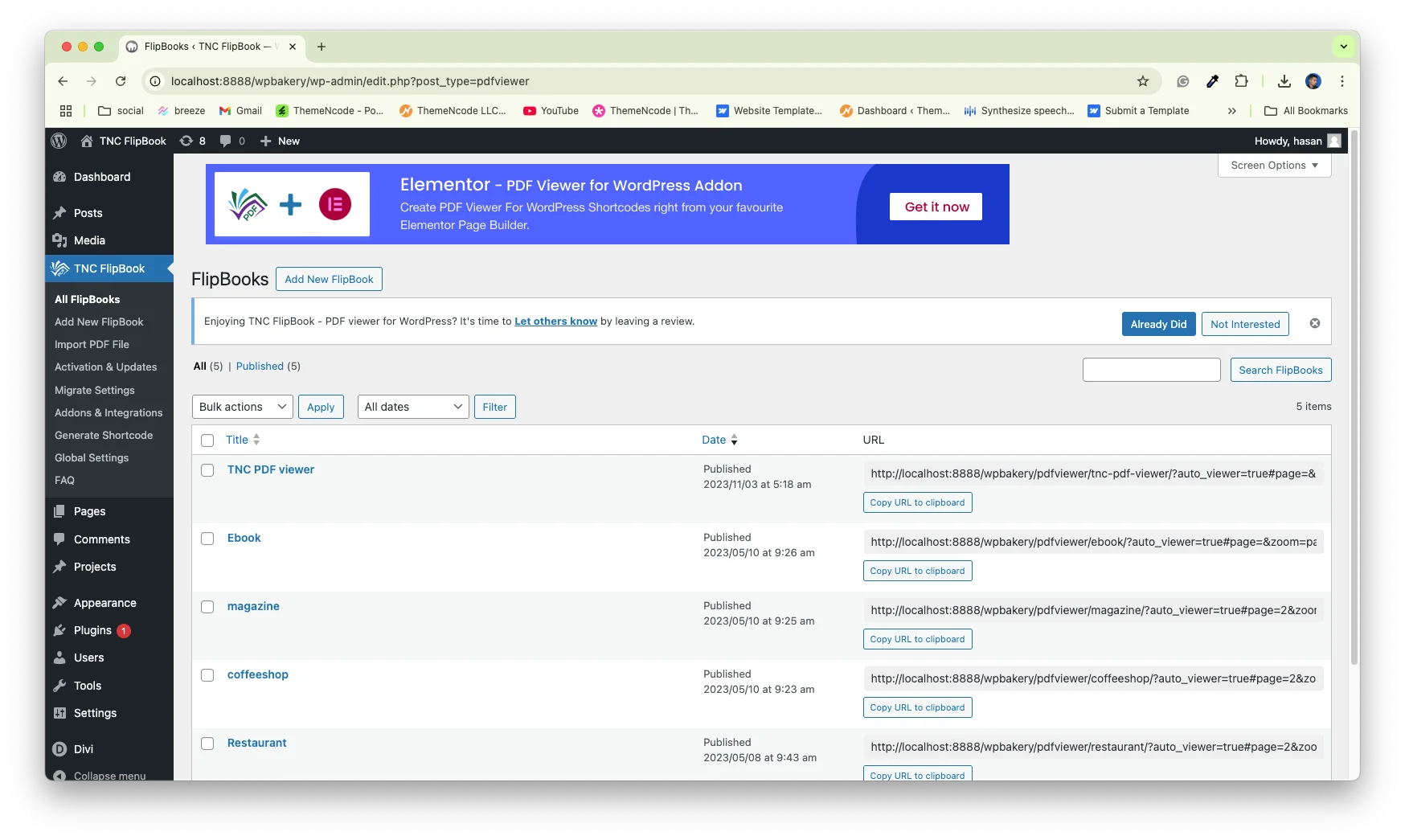
Step 4: Publish the PDF

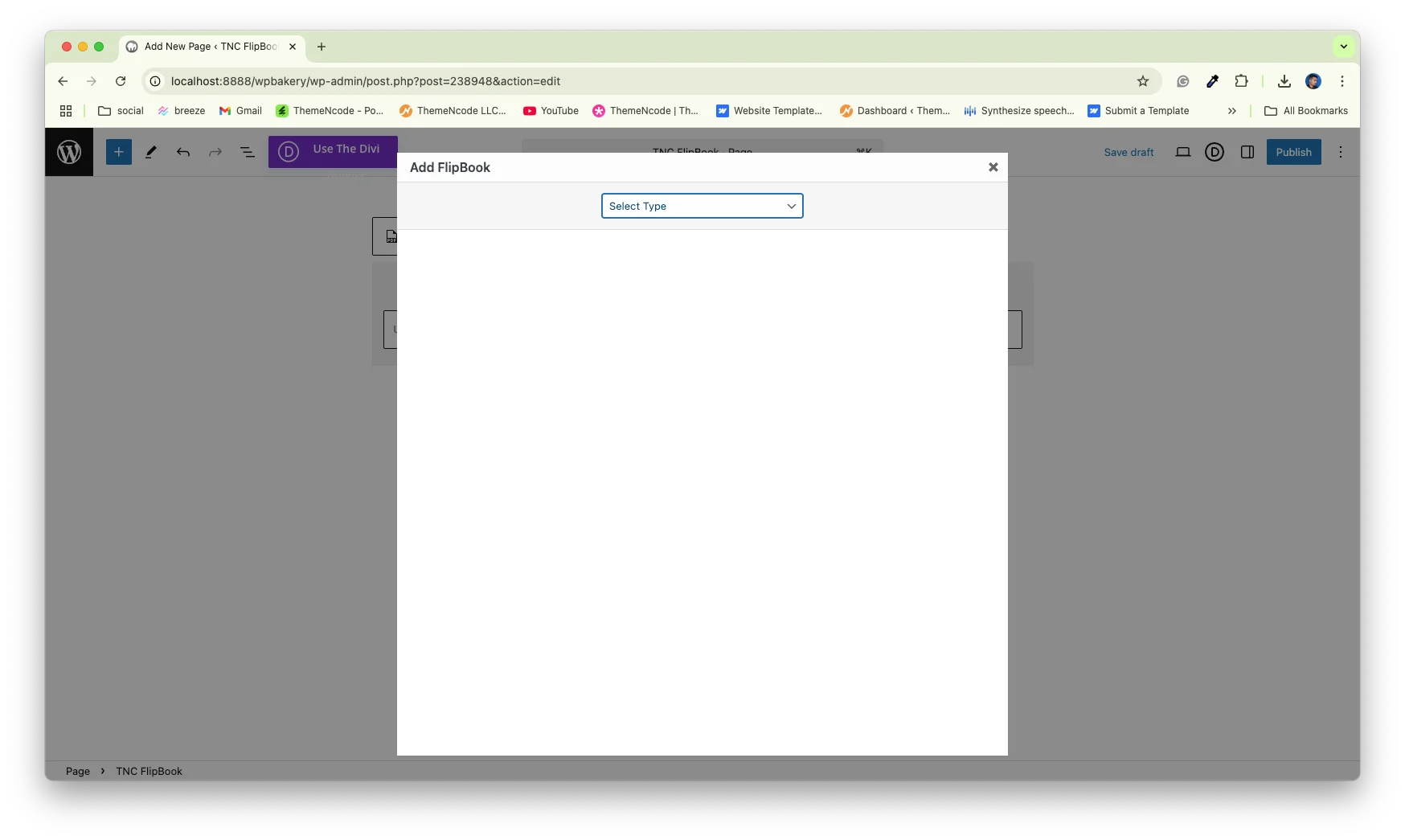
Step 5: Search for the TNC FlipBook block.
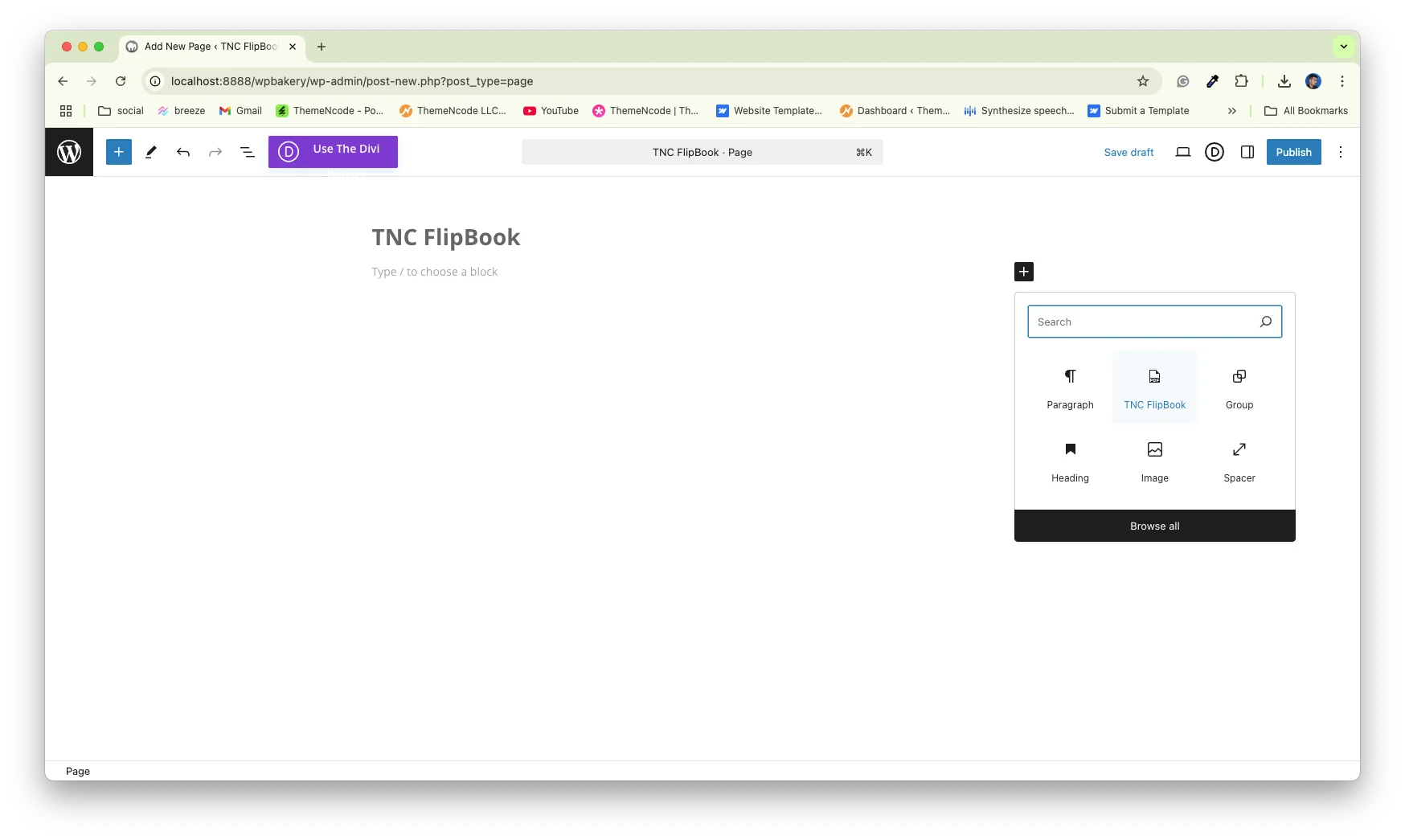
Step 6: Add PDF to your WordPress page/post
For Shopify Store:
I will show you TNC PDF Flipbook Shopify app. Install the TNC PDF Flipbook app on your Shopify store and it turns all your PDFs and images into flipbooks. Then you will get your dashboard. After that, your existing PDF links will be automatically converted to flipbook and you will get an embed code.

You can also turn images into flipbooks. Go to the Image to FlipBook tab and upload your images, and create a beautiful flipbook.
For All Websites (Cloud Solution):
Here, I will show the PDF FlipBook. It is the perfect SaaS platform to add PDF or Flipbook to any type of website. Visit www.pdfflipbook.com and sign up for the membership plan. After completing your account, you will get your dashboard. To embed a PDF or flipbook on your website, give a title and select your PDF file.

After that, you need to add a feature image and you’re done. Then, you will see all your PDFs/flipbooks listed. And you will get an embed code. All you need to do is click on COPY IFRAME CODE TO CLIPBOARD, and the embed link will be copied. Paste the embed code anywhere on your website and your flipbook will be accessible from there.
Tips For Sharing PDFs & Flipbooks Perfectly
- Make Files Smaller: Big files make your website slow. Compress your PDFs before uploading them. There are free online tools to do this.
- Tell People What to Do: Use clear words like “Read the Brochure” or “View the Catalog” so people know they can click.
- Ensure Mobile Responsiveness: Make sure your flipbooks look good and work well on phones and tablets.
- Track Your Results: Use website analytics to see how many people are viewing your PDFs and flipbooks. This helps you know what is working and what is not.
Sharing PDFs and flipbooks on your website is a great way to make it more interesting and useful for your visitors. If you follow these simple steps, you can easily improve your website.
Security Considerations For Sharing PDFs and Flipbooks
Restricting Access: Some embedding services and plugins such as TNC FlipBook offer options to restrict access to your documents. This may involve requiring a password or limiting access to certain users.
Preventing Downloads: You can often disable the download option in the embedded viewer to prevent users from saving a copy of the PDF.
Watermarking: Add watermarks to your PDFs to avoid unauthorized distribution or sharing
Digital Rights Management (DRM): For highly sensitive content, consider using DRM solutions. DRM technologies encrypt the PDF and require users to have specific permissions to view it.
Conclusion
Sharing PDFs and Flipbooks on your website delivers valuable content directly to your audience. You have learned two main ways to do this. Linking for a quick and easy approach and embedding for a richer experience. I have mentioned the best PDF viewer and flipbook solutions for different platforms. It expands your reach, improves brand image and user experience for everyone.
Now you can confidently present your documents online. Optimize your files for speed, and protect sensitive information with appropriate security measures. Use the tips and techniques we’ve covered to improve your website’s user experience and make your content more accessible.
Start sharing today and see the positive impact on your website. Apart from this, If you want to read more blogs, visit here.




0 Comments