

PDF is important for various purposes on your website and essential for presenting online content. Businesses and organizations use it to share everything from brochures, catalogs, white papers, reports, and user manuals. While PDFs offer a consistent viewing experience across devices, they can also present accessibility challenges if not user-friendly.
Different websites require different types of PDFs. If you make your PDFs more accessible, you will not only expand your reach but also ensure equal access to information. You can create a positive brand image and meet potential visitors to your website. Embedding PDF files on websites is important because it can share a lot of information quickly and easily.
This blog post explores how to make your website PDFs more accessible and enjoyable for all visitors.
Table of Contents
- 1 Why is PDF Important For Your Website?
- 2 Tips for Creating User-Friendly Website PDFs
- 3 Best Platform to Display PDF or FlipBook on Your Website
- 4 How Do You Display PDF or Flipbook on Your Website?
- 5 Why You Choose TNC FlipBook For Your WordPress Website?
- 6 Why You Choose TNC PDF Flipbook For Your Shopify Store?
- 7 Why You Choose PDF Flipbook For Your Website?
- 8 Benefits of These PDF Viewers & Flipbook Solutions
- 9 Conclusion
Why is PDF Important For Your Website?
PDF files are very popular these days. Because you can easily share a lot of information using PDF files. However, creating a PDF is easier for anyone. All you need is just to write those information and you can create a PDF. There are endless documents that can be shared as PDFs.
For example, authors can share their e-books as PDFs on their websites, e-commerce store owners share product documentation and manuals. Restaurant owners display menus as PDFs on their websites. Also, you can sell your writings as PDFs if you upload them with security, and only paid viewers will have access. Apart from this PDFs ensure:
- Compatible format
- Consistent viewing
- Easy download/print
- Professional image
- Content control
- SEO benefits
- Versatile content
Tips for Creating User-Friendly Website PDFs
- Tag for screen readers
- Logical reading order
- Image descriptions
- Easy to read
- Descriptive links
- Set Own language
- Mobile-friendly
- Test for accessibility
- Small file size
Best Platform to Display PDF or FlipBook on Your Website
For All Types of Websites
You have several options for displaying PDFs or flipbooks on your website, each with different levels of integration and user experience. The easiest method is direct linking, where a hyperlink points to the PDF file on your server. Clicking the link opens the PDF in the user’s browser. You will find many online platforms to do this. We have done a lot of research and found that PDF FlipBook is the perfect online PDF solution for any website.

For WordPress Users
For a smoother experience, you can use a PDF embedder plugin or service. These offer advanced features like better compatibility, customization, and mobile responsiveness. Nowadays most people like authors, writers or publishers display PDF or Flipbook on their WordPress websites. For them “TNC Flipbook – PDF Viewer for WordPress” is the best PDF embedder and flipbook plugin with many features.

For Shopify Store Owners
If you want to showcase a PDF or flipbook on your shopify store, you can do it with a PDF embedder or flipbook App. Based on our research, TNC PDF FlipBook is an excellent choice for Shopify stores. When selecting a PDF or flipbook app, consider factors such as cost, features, ease of use, customer support, reviews, documentation, and video tutorials.
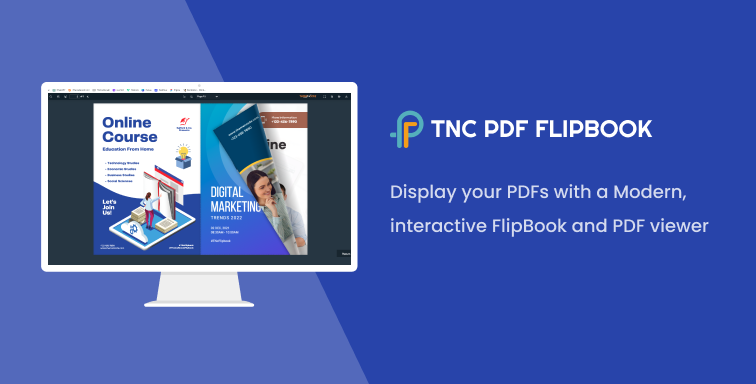
Creating a flipbook is a great choice if you’re looking for a highly engaging and interactive experience, especially for visually rich content like catalogs or magazines.
How Do You Display PDF or Flipbook on Your Website?
Here, I will show some easy steps to embed and display PDF or Flipbook on your website. You can add PDFs to your WordPress site, Shopify store, or any other website, and it ensures user-friendliness.
WordPress Website
I will show the “TNC FlipBook – PDF viewer for WordPress” plugin here. This is the best PDF viewer and flipbook plugin for WordPress. This plugin will also help you to add pdf to your WordPress website as a FlipBook.
Step 1: Download The Plugin from codecanyon or Click here.

Step 2: Install The Plugin On Your WordPress Site

Step 3: Go to the TNC FlipBook Tab and Upload Your PDF
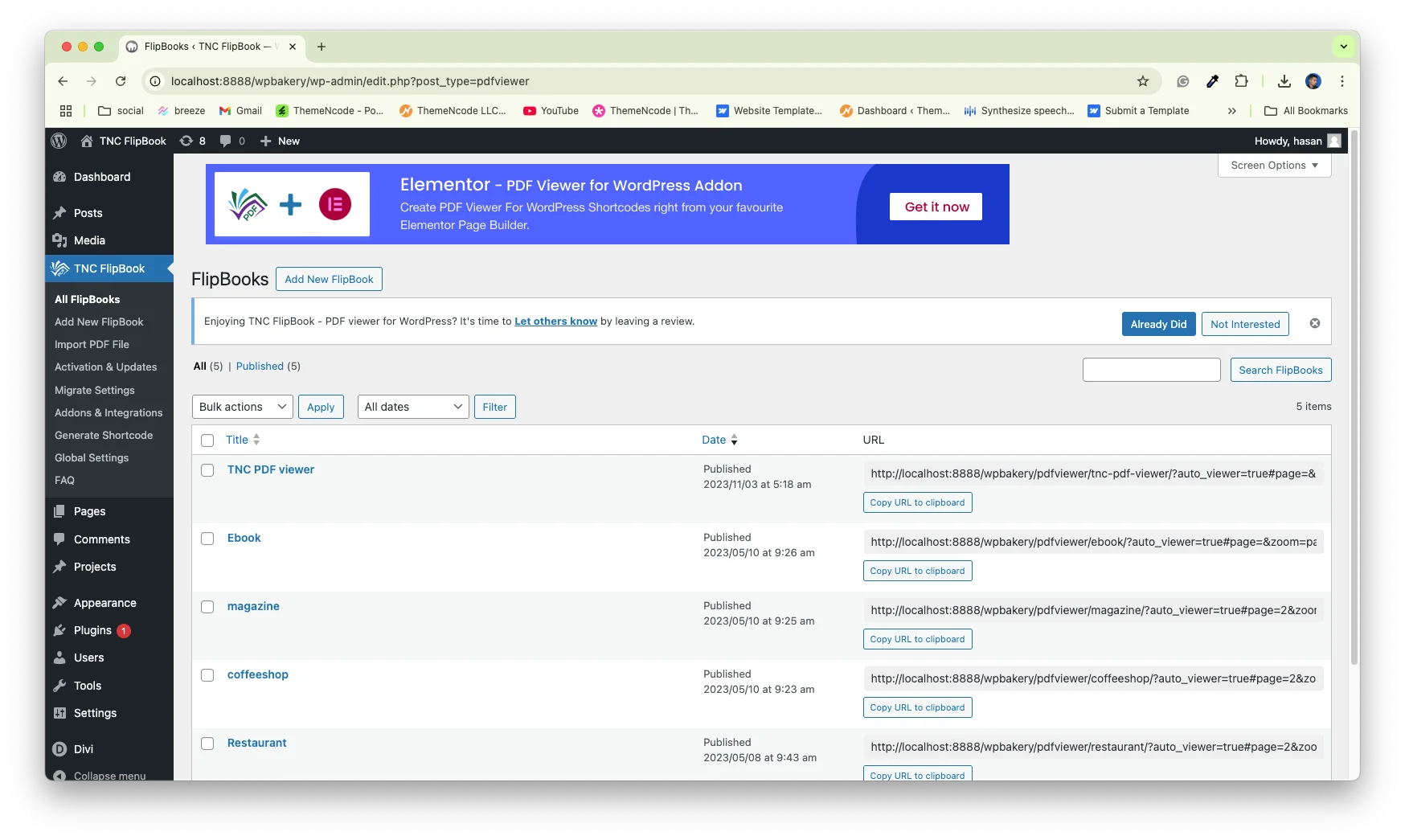
Step 4: Publish the PDF

Step 5: Search for the TNC FlipBook block.
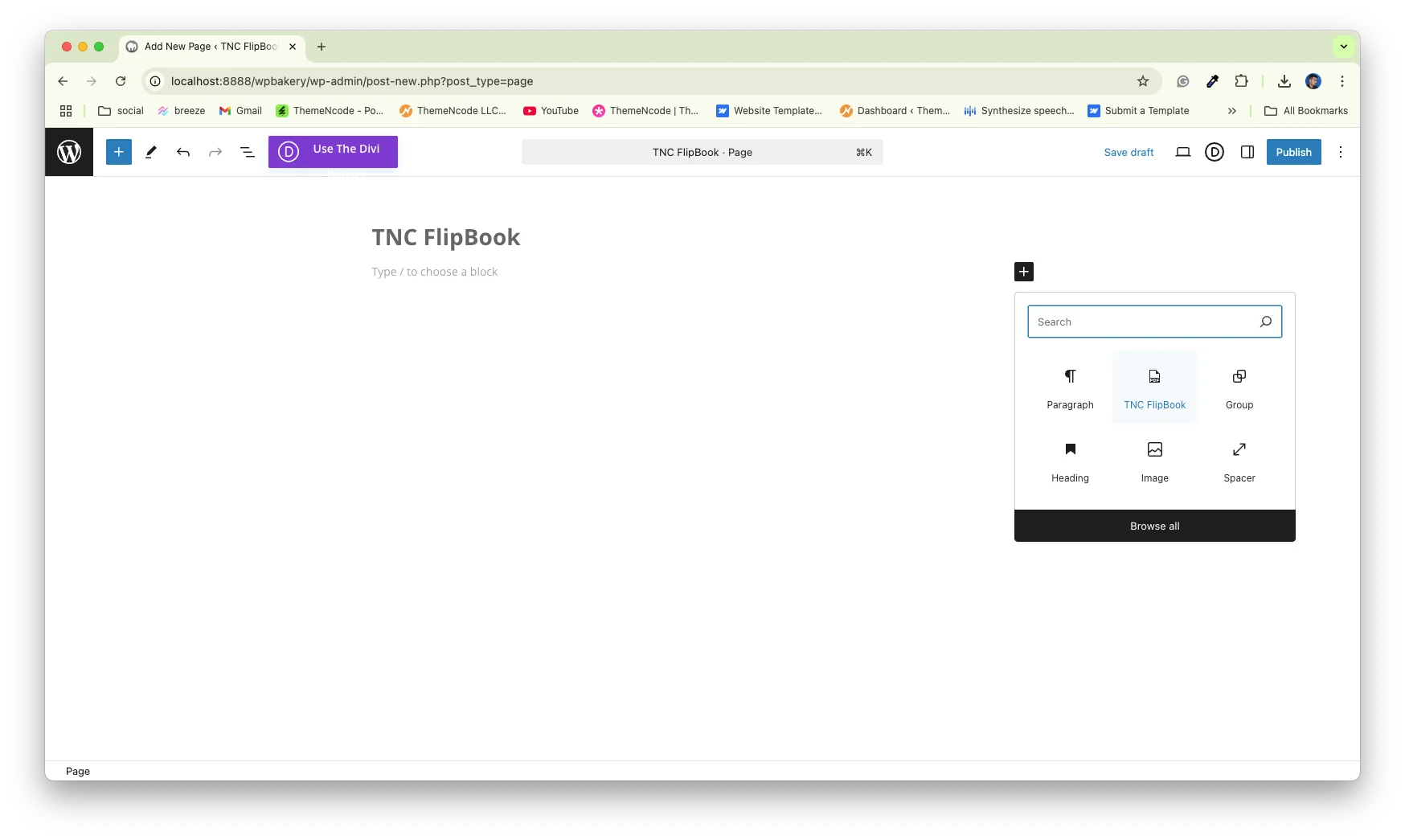
Step 6: Add PDF to your WordPress page/post
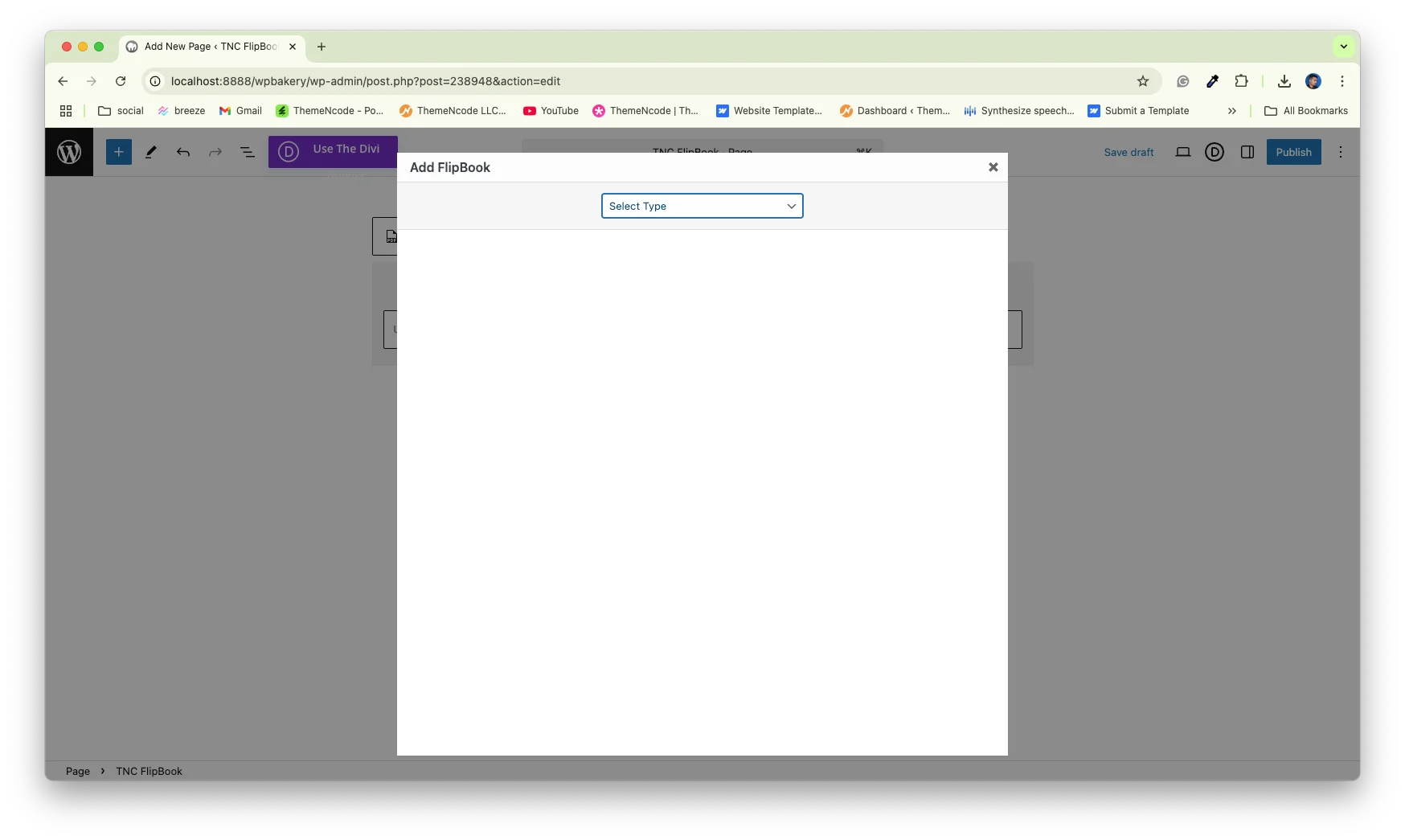
These are some easy steps that you need to make sure of after uploading or embedding your PDF files on WordPress. Apart from this, you will get many more features and customization options to make your PDF more user-friendly to your visitors.
Shopify Store
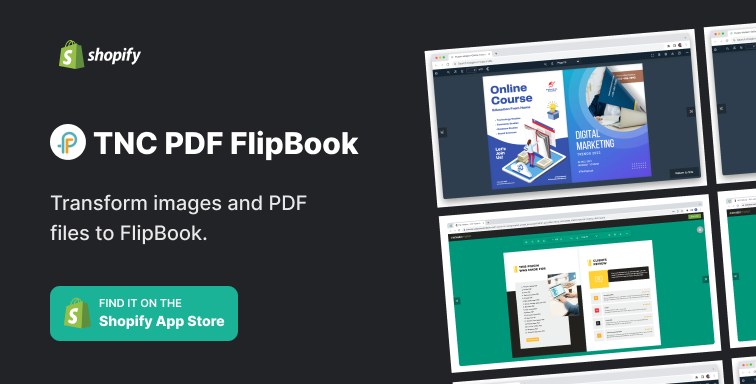
Here, I will show the TNC PDF Flipbook app. Visit the Shopify app store or just click here to get this app. First, Install the TNC PDF Flipbook app on your Shopify store, it turns all your PDFs and images into flipbooks. Then you will get your dashboard. After that, your existing PDF links will be automatically converted to flipbook. Then you will get an embed code.

Apart from this, you can also turn images into flipbooks. Go to the Image to FlipBook tab, upload your images, and create a beautiful flipbook. This way you can easily create and embed PDFs/ Flipbooks in your Shopify store.
For All Websites (SaaS)
I will show the PDF FlipBook here. It is the perfect SaaS platform to add PDF or Flipbook to any type of website. First, Visit www.pdfflipbook.com and sign up for the membership plan. You can take free, starter, basic, business, or enterprises. After completing your account, you will get your dashboard. To create a PDF or flipbook, give a title and select your PDF file.

After that, you need to add a feature image and you’re done. Then, you will see all your PDFs/flipbooks listed and you will get an embed code. All you need to do is click on COPY IFRAME CODE TO CLIPBOARD, and the embed link will be copied. Then, you can paste it wherever you want, and your flipbook will be accessible from there.

So, that’s how fast you can display PDFs or flipbooks on your website. Now, let’s explore how beneficial these solutions are.
Why You Choose TNC FlipBook For Your WordPress Website?
- TNC FlipBook is fully customizable
- Automatic Conversion From PDF Viewer to FlipBook
- 100+ Viewer Language
- No Coding
- Lots of toolbar options
- Responsive PDF Viewer & FlipBook Plugin
- Compatibility
- Lifetime Update
- No limitations (file size or pages)
- LTR and RTL Mode
- Special PDFs (password-protected)
- User-friendly Documentation
- Customer Support
As you can see here, using TNC Flipbook for the WordPress site ensures a more user-friendly approach to viewing PDFs for visitors.
Why You Choose TNC PDF Flipbook For Your Shopify Store?
TNC PDF Flipbook ensures many customization options to showcase your PDF or flipbook. You can choose primary, secondary, and text colors to create a branded viewing experience. You can also create visitors with custom background images.
You can also embed or show flipbooks as a popup or link. You also get six themes and three icon sizes to customize your flipbook. TNC PDF FlipBook supports a variety of PDF formats, including password-protected documents. Users can complete forms and follow links directly within the flipbook.
Click Here to see the Live Preview!
Why You Choose PDF Flipbook For Your Website?
PDF FlipBook is a SaaS platform and ensures that it feels consistent with your website and other marketing materials. This is the easiest and time-saving way to embed flipbook on any website. PDF FlipBook offers many customizable options that make your flipbook more attractive. Let’s explore some best options:
- Default Zoom
- Page Mode
- Jump to Page
- Icon Size
- Toolbar Style
- Viewer Language
- Toolbar Elements Visibility
- Appearance
Apart from this, PDF Flipbook also ensures:
- Easy Interface
- Customizable Design
- Social Share
- Cloud Storage
- Security Features
- Pricing Plans
- Free Trials
Benefits of These PDF Viewers & Flipbook Solutions
TNC FlipBook, TNC PDF Flipbook, and PDF FlipBook have almost the same features and functionality but for different platforms. You can do your research and compare it with others to get the best solution. Let’s explore the benefits of using these.
- Content Presentation
- Device-Friendly
- More Engaging
- Better Branding
- Marketing Benefits
- Improve SEO
- Cost-Effective
- Social Sharing
- More Sales
Conclusion
Creating accessible PDFs means creating a perfect and user-friendly online environment. It expands your reach, improves brand image and user experience for everyone. By following the techniques in this article, you can turn your website PDFs into a valuable resource for all your visitors.
In this article, I have mentioned the best PDF viewer and flipbook for different platforms. I hope it will help you to find the best solution for your website. So, it’s a positive experience for those who interact with the PDF on your website. So, this way you can create and embed user-friendly PDFs for your visitors.
Apart from this, if you want to read more blogs, visit here.



0 Comments