

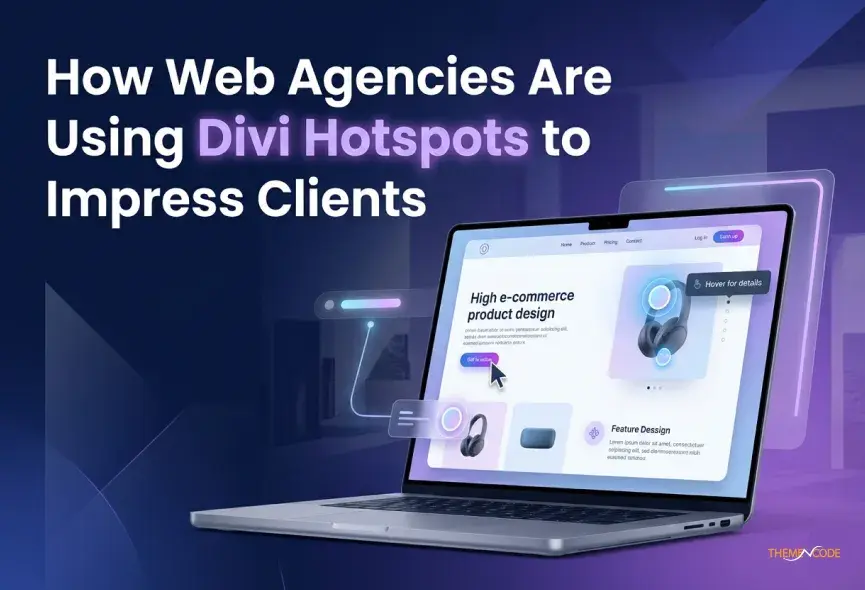
There’s one big problem almost every web agency secretly struggles to solve. When clients see a flat design, their brain just can’t connect it to a real, working website. No matter how talented the designer, a static mockup can’t show clients how a website truly feels and works. That’s where Divi Hotspots come in, making mockups more attractive. They let agencies make designs interactive, so clients can click, explore, and understand every part of a website before it even goes live. It’s a wonderful way to make your presentations exciting and professional.
In this blog, we’ll cover what Divi Hotspots are, why agencies love Divi Hotspots, how to set them up easily, tips to use them effectively, and the benefits for both clients and agencies. By the end, you’ll see how this one feature could completely change the way you present websites to clients.
Table of Contents
- 1 What Are Divi Hotspots?
- 2 Why Agencies Love Divi Hotspots
- 3 Why Clients Absolutely Love Them
- 4 How Agencies Use Divi Hotspots to Impress and Engage Clients
- 5 How Divi Hotspots Help Agencies to Build Business Strategy
- 6 Tips for Using Divi Hotspots Effectively
- 7 Benefits for Clients and Agencies
- 8 Final Thoughts
What Are Divi Hotspots?
If you’ve ever shopped online and seen a photo where you can click on different parts of the image to get product details, you have already experienced hotspots. Divi Hotspots bring that same magic to any WordPress website built with the Divi page builder.
Simply put, a hotspot is a small interactive pin or dot placed on top of an image. When a visitor hovers over or clicks that pin, a little pop-up appears with text, images, links, or any content you want to show. No complicated setup, just drag, drop and configure. Divi Hotspots can be added natively using the Divi Builder’s built-in environment.

Why Agencies Love Divi Hotspots
Client Presentations: Static designs often leave clients confused. With hotspots, agencies can make mockups interactive, showing what each button or section does. This makes presentations more professional.
Storytelling: Hotspots allow agencies to guide clients through a website step by step. Each interaction can explain features, navigation, or benefits, making the story of the website clear and memorable.
User Engagement: When clients can click and explore, they engage more with the design. Interactive previews help clients understand functionality and experience the website before launch.
Feedback Loops: Clients can test interactions directly and give quick feedback. Hotspots reduce back-and-forth emails and save time for both agencies and clients.
Time Efficiency: Using hotspots can prevent confusion about layouts or features. Agencies spend less time explaining, and clients approve faster, speeding up the entire project.
Competitive Advantage: Agencies that use interactive previews stand out from competitors. Clients notice when a presentation feels modern and professional, which builds trust and credibility.
Why Clients Absolutely Love Them
Most clients don’t understand the technical side of what you build. What they respond to is experience. They want to feel like their website is alive and hotspots deliver that instantly. Let’s explore a few use cases:
Shoppable Product Photos
E-commerce clients love this. Hotspots on lifestyle photos let customers click any item in the image and jump straight to the product page.
Interactive Real Estate Plans
Real estate and architecture agencies use hotspots to label rooms, show square footage, or link to virtual tours, right on the floor plan image.
Restaurant Menu
A photo of a beautifully set table with hotspots on each dish, showing the name and price. Menus have never looked better.
Manufacturing & Product Specs
Industrial clients can showcase machine parts, features, and technical specs, all layered on a single clean product image.
Educational Diagrams
Schools, training companies, and online course creators use hotspots to build engaging explainer images that teach without cluttering the page.
Hotel & Venue Showcases
Hospitality brands use overhead venue maps with clickable hotspots showing each room, amenity, or event space with photos and booking links. Apart from this, various other users enjoy browsing hotspots and make their web experience better.
How Agencies Use Divi Hotspots to Impress and Engage Clients
Setting up Divi Hotspots doesn’t have to be complicated. Agencies follow these simple steps:
Choose the Page or Section: Decide which page or part of your website will have hotspots. It could be a product section, homepage, or feature showcase.
Add the Hotspot Module: In Divi Builder, add a hotspot module to the chosen section. This is where you’ll place the interactive points.
Place Hotspots Where Needed: Click on the area you want to make interactive. Add a hotspot for buttons, images, icons, or text that needs explanation.
Customize Content: Add text, images, or links to each hotspot. Keep it short and clear so clients immediately understand the message.
Style Hotspots: Adjust colors, icons, or animations to match your design. Make them visible but not distracting.
Test Interactions: Preview your hotspots on desktop, tablet, and mobile. Ensure they work smoothly and look good on every device.
Share with Clients: Once ready, share the interactive preview with clients. They can click and explore, giving faster feedback and approvals.
Tip: Start with a few hotspots and add more only if needed. Too many can confuse clients.
How Divi Hotspots Help Agencies to Build Business Strategy
Divi Hotspots has become a secret strategy in agency sales presentations. When you are showing a potential live demo of a hotspot-powered page, it is worth a thousand words in a proposal document.
Clients who see it for the first time almost always ask, “Can we do this for our website?” That’s the opening you need. It’s a conversation starter, a differentiator, and a premium-feeling feature that justifies a higher project price.
Agencies are also bundling hotspot setup as an add-on service, charging a flat fee to add interactive hotspot sections to existing client websites. It’s a low-effort, high-value upsell that clients are happy to pay for because the result is so visually impressive.
Tips for Using Divi Hotspots Effectively
There are many Hotspot plugins available for your Divi site. Choose the one that fulfils your needs. We can suggest TNC Divi Hotspots to you, which help you create interactive image sections. You can explore it and see how it improves user engagement on your website.
- Keep hotspots simple and relevant. Only add them where they explain something useful.
- Use small icons or subtle animations to guide attention.
- Don’t overload pages with too many hotspots; it can be confusing.
- Test on different devices to ensure hotspots work everywhere.
- Align hotspots with your story. Use them to guide the client naturally through your design.
Benefits for Clients and Agencies
For Clients: Hotspots make it easier to understand the website, reduce confusion, and speed up approvals. Interactive previews also make them feel more involved in the process.
For Agencies: Using hotspots shows professionalism, saves time, and helps projects run smoothly. It also increases client satisfaction and builds long-term trust.
Final Thoughts
Divi Hotspots are one of those rare features that look complicated but are genuinely easy to build. They transform static images into interactive experiences that visitors actually want to explore and that clients always remember.
For web agencies, that moment when a client sees their hotspot-powered page for the first time is more than just a nice reaction. It’s proof that you don’t just build websites, you build experiences. If you haven’t tried TNC Divi Image Hotspots yet, there’s never been a better time to start. Your clients will be fully satisfied with it.
Want to read more? Visit here.



0 Comments